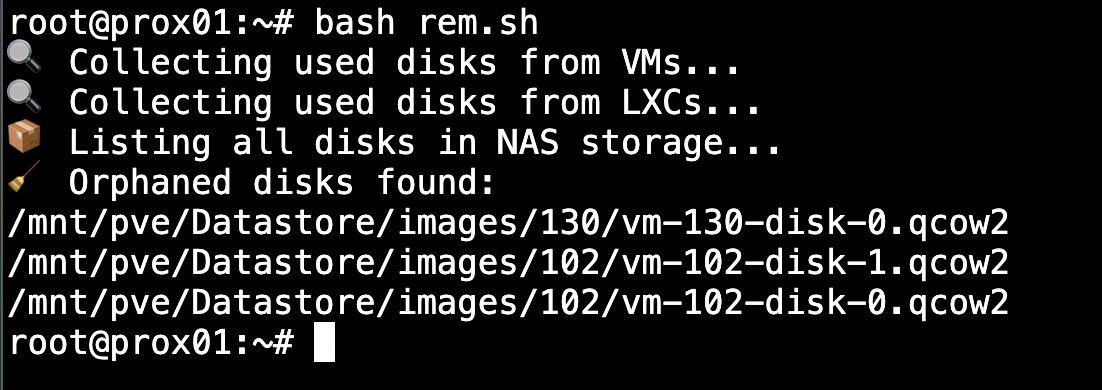
To address this issue, I’ve written a straightforward but effective Bash script to help identify these orphaned disks in a specific storage volume. This script is non-destructive. It lists orphaned files without deleting anything, giving you a clear view before taking action.
What the Script Does
The script performs the following steps:
- Collects a list of all virtual disk files actively used by VMs (
qm) and LXCs (pct) - Normalizes the paths to match the full file paths on disk
- Recursively searches the datastore for all existing
.qcow2,.raw, and.vmafiles - Compares both lists to identify orphaned files, meaning files present on disk but not attached to any VM or container
- Prints out the list of orphaned files so you can review and manually clean them up if needed

The Script
#!/bin/bash

STORAGE_PATH="/mnt/pve/CHANGEHERE/images"

# Temp files
used_disks=$(mktemp)
existing_disks=$(mktemp)

echo "🔍 Collecting used disks from VMs..."
for vmid in $(qm list | awk 'NR>1 {print $1}'); do
  qm config "$vmid" | grep -oP "Datastore:\K[^,]+" >> "$used_disks"
done

echo "🔍 Collecting used disks from LXCs..."
for vmid in $(pct list | awk 'NR>1 {print $1}'); do
  pct config "$vmid" | grep "Datastore:" | cut -d: -f2 | cut -d, -f1 >> "$used_disks"
done

sort -u "$used_disks" | sed 's|^/*||' | while read -r file; do
  echo "$STORAGE_PATH/$file"
done > "$used_disks.normalized"

echo "📦 Listing all disks in NAS storage..."
find "$STORAGE_PATH" -type f \( -name "*.qcow2" -o -name "*.raw" -o -name "*.vma" \) > "$existing_disks"

echo "🧹 Orphaned disks found:"
grep -Fxv -f "$used_disks.normalized" "$existing_disks"

# Remove the # from the next line if you want to deleted the orphaned disks
# rm "$used_disks" "$used_disks.normalized" "$existing_disks"
Why This Matters
Even a few forgotten .qcow2 or .raw files can consume tens or hundreds of gigabytes, especially in labs, test clusters, or environments with frequent VM churn. Reclaiming this space can save costs, reduce backup times, and improve overall performance.

Bonus Tips
- To extend this script for multiple datastores, wrap it in a loop over different
$STORAGE_PATHvalues - Want to go further? Automate this and get a Grafana alert when orphaned space exceeds a threshold
You can safely redirect the output to a file for archival or auditing:
./find_orphaned_disks.sh > orphaned_report.txt
Knowing what’s using your resources and taking action before things get messy. It's fast, simple, and safe, and in many cases, it can free up gigabytes of space in minutes.